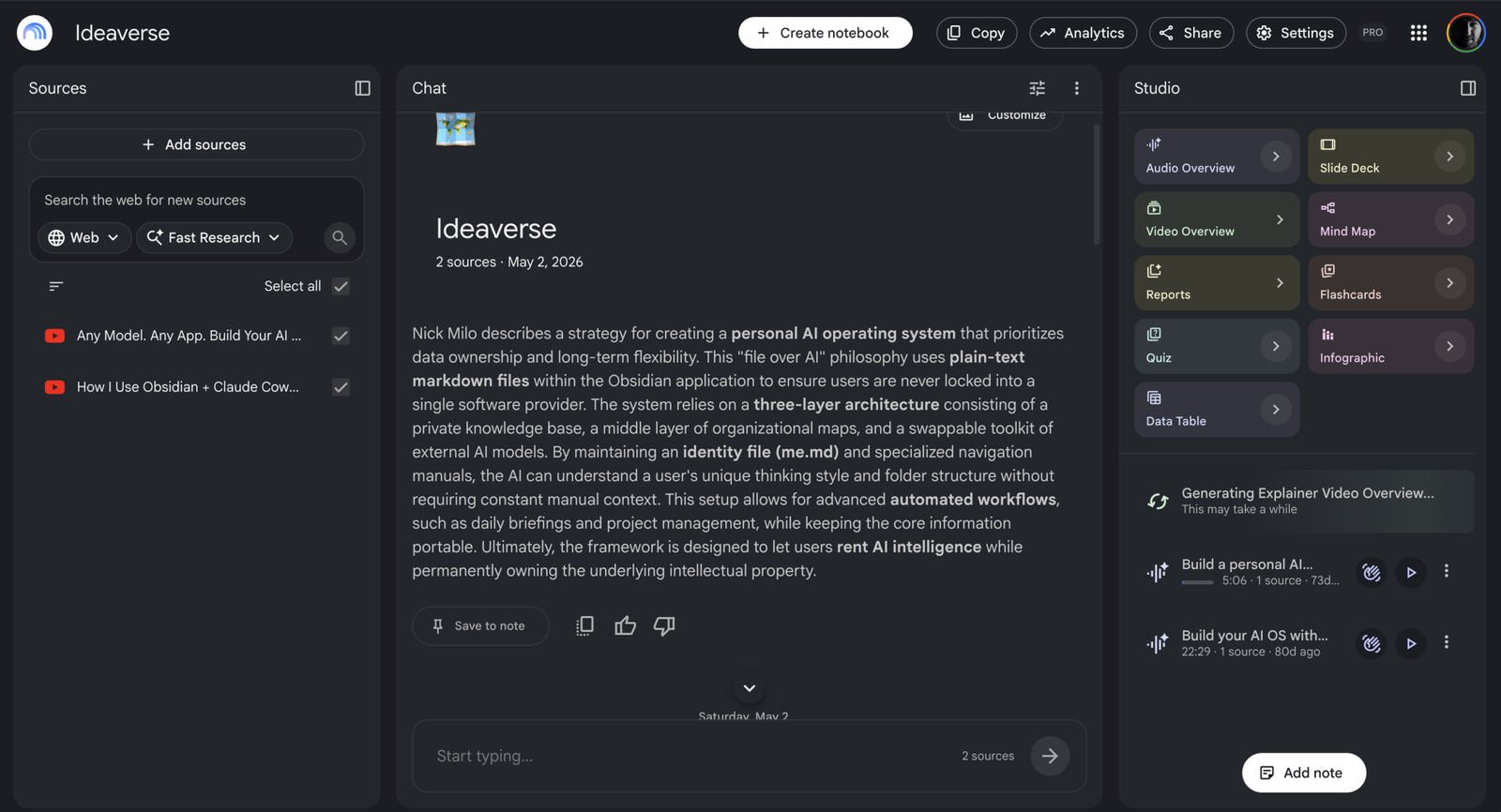
On May 2, I opened NotebookLM and created a notebook called Ideaverse.
I uploaded two YouTube videos by Nick Milo to study the framework behind his Ideaverse setup while building my own system in Obsidian. I wanted source-grounded context, not a generic web summary.
That test gave NotebookLM one job in my research system. A separate tool could scout recent conversations and tell me which topics deserved more attention. NotebookLM would become the fixed-source learning layer. My Obsidian vault would keep the ideas worth carrying forward.
With only those two videos selected, NotebookLM pulled out the ideas behind the setup: plain-text ownership, an identity file that helps AI understand the user, maps that explain how the knowledge base is organised, and AI models that can be swapped without taking the underlying knowledge with them.
By June 13, I’d written that division of labour into an internal AI Learning Log. NotebookLM wouldn’t become the whole system. Its constraint was part of its value.
On July 16, Google renamed NotebookLM to Gemini Notebook. The product remains standalone, but Google is connecting it more closely to the Gemini app and, eventually, AI Mode in Search. Notebooks now sync between Gemini Notebook and the Gemini app. Google has also started rolling out a secure cloud computer that lets notebooks write and execute code for source-grounded analysis.
The rename matters less than the fixed scope that made my Ideaverse notebook useful.
Fixed sources were the point
That Ideaverse notebook worked because it wasn’t the whole internet.
I could ask questions about Milo’s ideas while keeping both source videos visible. The citations made it possible to check where an answer came from. Audio Overviews, study guides, mind maps, and other outputs offered different ways to work through the same material.
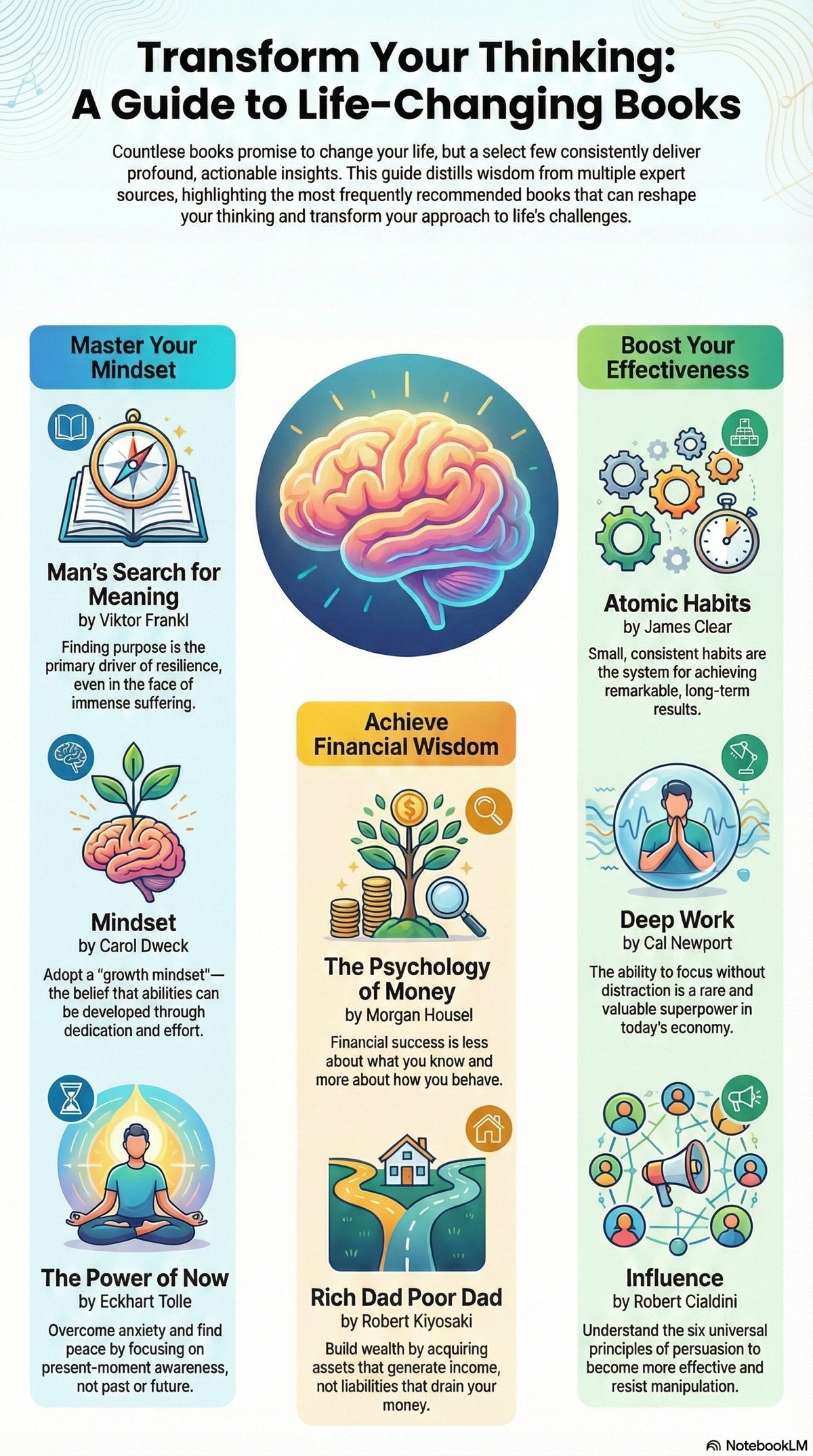
I used the same approach in a separate notebook focused on books. NotebookLM turned the material into an infographic that grouped the titles by purpose, from mindset and focus to money. It gave me a visual route through the notebook instead of another block of notes.
The compression is also the limitation. Each description reduces a full book to one claim. I can use the graphic to spot a connection or choose what to revisit, but not as evidence that I understand the author’s argument.
That constraint made the tool easier to trust. It didn’t make every answer correct, but it made the evidence visible.
It also kept NotebookLM out of a job it wasn’t built to do. I never treated it as my second brain. A notebook helped me understand one defined source set. The connections I wanted to keep across the vault still belonged in Obsidian. Google’s own product design reinforced that split: a notebook held its sources, my vault held the accumulated context.
Two entry points, different source rules
The integration with Gemini makes notebooks easier to reach. A notebook created in one product can appear in the other. Sources and custom instructions sync. If I opt in, conversations from Gemini can also become context inside the notebook.
But the two surfaces don’t answer in the same way.
According to Google’s official help documentation, chat inside the standalone Gemini Notebook web app stays grounded exclusively in notebook sources. Open the same notebook in Gemini Apps and the response may also use web search and other tools. Gemini Apps doesn’t currently generate the Studio artifacts available in Gemini Notebook, such as Audio Overviews, infographics, or slide decks.
The interface makes these look like two entry points to the same notebook. The workflow isn’t the same.
If I’m trying to understand what five uploaded reports actually say, I want the stricter grounding. If I’m trying to connect those reports to recent events or run a broader investigation, Gemini’s web and tool access may help. The shared Gemini name makes that distinction easier to miss: the notebook can be the same while the grounding changes.
Running code changes the verification problem
The secure cloud computer is the more substantial change. Gemini Notebook can write and run code inside a notebook. Google is rolling it out first to AI Ultra users and eligible Workspace customers, with Pro web users following.
If a notebook moves from summarising text to running calculations, citation links are no longer enough. The execution itself becomes part of the evidence.
I haven’t tested this feature yet. I don’t know whether the execution trail will be transparent enough for serious analytical work, or how often generated code will need correction. Source grounding doesn’t automatically make an analysis sound. A clean citation can still sit beside a bad calculation.
Until I can inspect the code Gemini Notebook generates and reproduce its result, I’d treat the output as a lead, not a finding.
The research stack still has three layers
The rebrand doesn’t change the research system I defined in June.
Recent-signal tools still scout. Gemini Notebook still earns its place by helping me study a bounded source set. Obsidian still holds the durable connections that need to survive beyond one research project.
What changes is the routing inside the middle layer: standalone notebook for source-only work and Studio outputs, Gemini when web access earns its place. Anything worth keeping across projects still moves into the vault with its source trail.
Google is turning a focused research tool into a more connected part of its AI ecosystem. That can remove friction. It can also make it easier to forget which information came from my sources and which arrived through the wider model.
I can let the product change as long as I can still tell what came from my sources.
